Meta's human_agent permission has quietly become one of the hardest approvals in Meta App Review. The code is rarely the problem. Apps get rejected because reviewers can't see a real human in the loop, or can't see why the extended 7-day window is actually needed.
I've submitted the Human Agent feature for more than 11 apps over the last two years, and I've had it approved 6 times in 2026 alone. In 2025, a clean submission usually passed on the first try. Today, even well-prepared submissions often take 2 to 3 attempts. This guide covers what changed, what reviewers actually check, and how to structure a submission that passes.
Quick Answer
The human_agent permission (Human Agent feature) lets a real person reply to a user on Messenger or Instagram up to 7 days after the user's last message, instead of the standard 24-hour window. Meta approves it only when your App Review submission shows a visible human handoff: a bot or app conversation where a live agent takes over and replies after the 24-hour window has closed. If your screencast only shows automation, or doesn't prove the 7-day need, Meta rejects it regardless of how correct your integration is.
Key Takeaways
human_agentextends the Messenger and Instagram reply window from 24 hours to 7 days, for human replies only.- It's a feature approved through Meta App Review and requires completed Business Verification.
- Rejections are almost always about evidence, not engineering. Reviewers reject the justification, not the code.
- The three killers: no visible human handoff in the screencast, use case mismatch between your text and your video, and no demonstrated need for the extended window.
- Automated messages sent with the
HUMAN_AGENTtag violate Meta policy and can cost you API access after approval. - Expect 2 to 3 attempts in 2026. Approval on the first try is possible, but plan your timeline around a resubmission.
What Is the Human Agent Permission?
Human Agent is a Meta platform feature that allows your app to send messages with the HUMAN_AGENT message tag. Per Meta's official documentation, it exists for one allowed usage: letting a human support agent respond when a user's issue can't be resolved inside the standard messaging window. Meta's own examples are a business closed for the weekend, or an issue that takes more than 24 hours to resolve.
Two things follow from that definition, and both drive rejections:
- The reply must come from a human. Bot replies, drip sequences, re-engagement campaigns, and marketing messages are explicitly outside the allowed usage.
- The extended window is for unresolved support issues, not for reaching users who went quiet.
It applies to Messenger and Instagram messaging. WhatsApp doesn't use human_agent. WhatsApp handles the out-of-window problem with approved template messages, so don't request this feature for a WhatsApp-only app.
How Does the HUMAN_AGENT Tag Work?
Technically, the integration is simple. You send a normal Send API request with messaging_type set to MESSAGE_TAG and the tag set to HUMAN_AGENT:
Use the latest Graph API version available to your app. Without the approved feature, sending outside the 24-hour window fails with error (#10) This message is sent outside of allowed window.
The rules that matter:
- The tag is valid for up to 7 days after the user's last message.
- The message must be a human-typed response related to the user's inquiry.
- Applying the tag to automated content is a policy violation Meta actively detects, and it's one of the fastest ways to lose messaging access for an approved app.
Why Did Human Agent Approval Get So Hard?
In my experience across submissions in 2024 and 2025, Human Agent was a routine approval: show a support inbox, show an agent replying, done. That changed as high volumes of spam and automation apps started requesting the feature to push bot messages through the 7-day window. Reviewers now treat every human_agent request as suspect until the submission proves otherwise.
The practical effect: the burden of proof moved to you. Reviewers no longer give the benefit of the doubt to a plausible-sounding use case. They want to see the human, see the handoff, and see the window problem on screen.
What Is Meta Actually Checking?
When a reviewer opens your human_agent submission, they're answering three questions:
- Is there a real human in the loop?
- What they look for: A live agent interface: an inbox, an agent name, a person typing a reply
- What fails: Demos where every reply is instant or templated, no agent UI visible
- Does the use case match the demo?
- What they look for: Use case text and screencast telling the same story
- What fails: Text says "customer support," video shows broadcasts or promo messages
- Is the 7-day window genuinely needed?
- What they look for: A scenario where the 24-hour window realistically closes before resolution
- What fails: No timing shown; every reply in the demo happens within minutes
If any one of the three fails, the whole submission fails. That's why technically-correct apps get rejected: the code answers none of these questions. The evidence does.
Top Reasons Meta Rejects the human_agent Permission
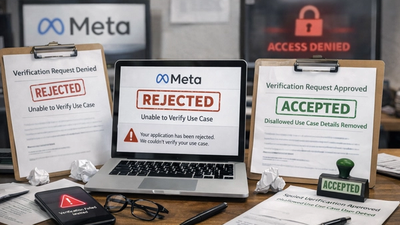
1. No visible human handoff. The most common failure. Your screencast shows the product working, but every response looks automated. Reviewers need to see the moment a human takes over: an agent dashboard, an assignment, a typed reply. If they can't point to the human, the permission isn't justified.
2. Use case mismatch. Your use case description says "support agents respond to unresolved tickets," but the video shows a campaign builder or bulk messaging screen. Reviewers cross-check the written justification against every frame of the screencast. Any drift between the two reads as misrepresentation.
3. No proof the extended window is needed. You demonstrated a support reply, but it happened two minutes after the user's message. That proves nothing about the 7-day window. The strongest submissions show a conversation where the user's last message is visibly older than 24 hours and the agent still needs to reply.
4. Requesting it "just in case." Chatbot apps often add human_agent alongside pages_messaging or instagram_manage_messages because it sounds useful. If your app has no agent-facing interface at all, the request is unjustifiable. Pure bots don't need it and won't get it.
5. Generic or reused screencasts. A video recycled from your pages_messaging submission, showing general messaging but nothing tag-specific, gets rejected with feedback like "inadequate demonstration" or "screencast not aligned with use case details."
How to Get human_agent Approved: Step by Step
Step 1: Confirm prerequisites. You need completed Meta Business Verification and a working messaging integration (pages_messaging for Messenger, instagram_manage_messages for Instagram) already functional in development mode. Human Agent is approved as a feature through the same App Review flow as permissions.
Step 2: Build the human-facing side before you record. Your app must have something a reviewer can recognize as an agent workspace: an inbox with conversations, agent identity, and a reply box. If humans reply through your system, this exists already. Make it obvious on screen.
Step 3: Write a use case that names the window problem. Don't write "we need human_agent for customer support." Write the specific failure the feature solves. A structure that works:
Our app provides a shared support inbox for e-commerce teams. Customers frequently message on Friday evening; support staff return Monday, after the 24-hour window has closed. Support agents (humans) use our inbox to reply to these unresolved inquiries within the 7-day window. All tagged messages are typed by agents and relate to the customer's original inquiry. Automated messages never use the HUMAN_AGENT tag.
That single paragraph answers all three reviewer questions before the video starts.
Step 4: Record a screencast that shows the handoff and the timing. The sequence that has passed for me repeatedly:
- A real user sends a message to the Page or Instagram account (show the user's screen or phone).
- Show the message arriving in your app's inbox. If a bot answers first, show the bot failing to resolve the issue and the conversation escalating to an agent.
- Show the human agent: logged in, name visible, opening the conversation and typing a reply.
- Show a conversation where the user's last message is older than 24 hours (the timestamp must be visible) and the agent replying successfully.
- Show the reply arriving in the user's Messenger or Instagram inbox.
Timestamps are the detail most people miss. A visible "1 day ago" or dated message in the thread is what turns "we do support" into "we need the 7-day window."
Step 5: Submit, and be ready to resubmit. Even clean submissions currently take 2 to 3 attempts. Read the rejection feedback literally, fix exactly what's named, and tighten the evidence. Don't rewrite the entire submission in frustration; targeted fixes to the flagged gap work better than starting over.
Common Mistakes to Avoid
- Sending any automated or scheduled message with the
HUMAN_AGENTtag after approval. Meta detects this pattern, and enforcement hits the whole app, not just the message. - Showing marketing or re-engagement flows anywhere in the screencast. Reviewers assume the worst about what they see.
- Recording the demo entirely inside the 24-hour window, proving the standard window is enough.
- Requesting
human_agentfor WhatsApp use cases. It doesn't apply there; use template messages. - Submitting before Business Verification is complete. The feature requires it.
- Muting context: silent screencasts are fine, but on-screen text annotations explaining each step measurably reduce reviewer confusion.
Troubleshooting After Approval
Messages still failing with error #10? Check that messaging_type is MESSAGE_TAG and tag is HUMAN_AGENT on the request itself, that the user's last message is within 7 days, and that the approved feature is active for the app in the App Dashboard.
Approved, then access revoked? Almost always tag misuse: automated content detected under the tag. Audit every code path that can attach HUMAN_AGENT and make sure only agent-typed replies can trigger it.
Approved for Messenger but failing on Instagram? Confirm instagram_manage_messages has Advanced Access and the Instagram account is properly linked to the Page your app messages through.
Suggested Internal Links
- /blog/facebook-app-review-process — pillar guide on how to pass Facebook App Review
- /meta-app-review-rejection-fix — service page for rejected submissions
- /blog/inadequate-demonstration-fix — fixing the "inadequate demonstration" rejection
- /blog/facebook-app-review-screencast-requirements — screencast standards that pass review
- /instagram-api-app-review — Instagram messaging permissions service
- /facebook-app-review-service — done-for-you Facebook App Review
- /meta-business-verification — the Business Verification prerequisite
- /blog/pages-messaging-approval-guide — the base Messenger permission most apps pair with human_agent
Stuck on a human_agent Rejection?
If you've been rejected two or three times and the feedback keeps repeating, the problem is almost always in the evidence, not your product. I've taken 200+ apps through Meta App Review and approved the Human Agent feature repeatedly under the current, stricter review climate. I can audit your use case text and screencast, map the reviewer-proof handoff flow for your app, and manage the resubmission end to end. Get in touch and include your last rejection feedback — that's usually enough to diagnose the fix.